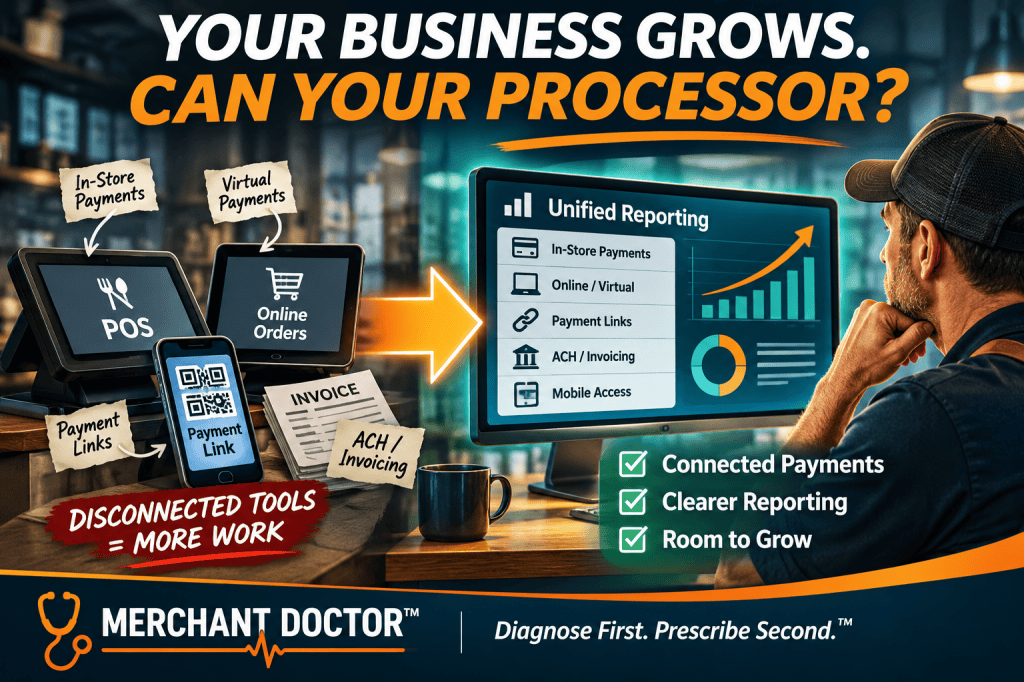
A payment processor might offer competitive rates, dependable terminals, and a perfectly functional way to accept credit cards. But what happens when your business changes?
Maybe you started with one countertop terminal. Now employees take payments in the field, customers want to pay invoices remotely, and you’re considering ACH, CRM integration or online payments.
Suddenly the question isn’t simply how much you pay to process a transaction. It’s whether your payment technology can keep up.
The hidden cost of disconnected payment systems
A growing business might collect payments through a physical terminal, virtual terminal, online payment links, mobile applications and ACH. Each tool can work independently, but the challenge arrives when someone asks: Did this customer pay, how did they pay, and where can we find the transaction? Searching multiple portals and reconciling separate reports consumes time. The objective isn’t automatically replacing everything; it’s determining whether existing technology can be connected more effectively.
1. Does your processor support more than one payment method?
A field-service company may want in-person payments, emailed invoices, QR-code payment links and ACH. A restaurant might need tableside payments and online ordering. Ask which methods are actually supported, whether they share a gateway, and whether separate providers or agreements are required.
2. Can you see your transactions in one place?
Unified reporting is useful, but should never be assumed. Several products from the same provider may still have separate dashboards. Ask whether mobile, terminal, virtual terminal and payment-link transactions appear together, and whether ACH appears alongside card payments. Deposits, fees, settlement times and refund workflows can still differ even in a shared interface.
3. Does your processor offer a documented API?
An application programming interface (API) can let compatible software exchange information with payment systems—for example, sending a payment request from a CRM or receiving a payment-status update. Ask whether documentation is accessible, whether credentials require approval, which functions are supported, and whether your existing software is actually compatible. An API’s existence is not proof that your particular integration will work.
4. Is API access actually free?
Free documentation doesn’t necessarily mean a free integration. Costs may include development, gateway services, middleware, maintenance, transaction-related charges and technical support. Request written pricing for the complete workflow. The objective is not necessarily zero cost, but a sensible total cost.
5. Can your business test an integration safely?
Ask about a sandbox or test environment before connecting live payments. Test approvals, declines, refunds, duplicate requests, status updates, delayed notifications and reconciliation. Outsourcing payments does not eliminate a merchant’s responsibility to understand applicable payment-data security obligations. Review current PCI Security Standards Council guidance and work with qualified providers on scope and implementation.
6. Will your existing hardware and mobile tools remain useful?
A business shouldn’t automatically need to buy new terminals whenever its workflow changes. Check supported hardware, mobile operating systems, card acceptance methods, staff permissions, connectivity limitations, and per-device or per-user fees. Sometimes a replacement is justified; sometimes a better configuration is enough.
7. What happens when your business changes again?
Your company may add locations, change accounting software, build a customer portal, or offer new services. Will your provider supply documentation and technical assistance? Can compatible third-party tools be used? What are the limitations? A processor needn’t offer everything, but should be transparent about what it can support.
Don’t overlook the customer experience
Before rolling out a new payment tool, experience it the way your customers will. Test the checkout process on a phone and computer, review the instructions and confirmation messages, and make sure customers can easily understand their payment options. Then test the employee experience: can staff locate a payment, issue a refund when appropriate, and answer a customer’s question without searching multiple systems? The best payment technology should make transactions simpler for both sides of the counter.
The Merchant Doctor diagnosis
Competitive rates matter. So do reliability, security, support and ease of use. But payment flexibility matters too. Before buying another terminal, adding a subscription, or switching processors, examine what your current provider can already support. You may discover that a better configuration or integration solves the problem—or that the provider truly cannot support the next stage of growth. Either way, begin by understanding the business. Diagnose first. Prescribe second.™
Merchant Doctor™ | Business Eye Network — consulting-led payment solutions for businesses that want technology to work for them.


Leave a Reply