Business Eye Network™ Products
Explore payment acceptance, point-of-sale, and business technology solutions for restaurants and hospitality businesses, retailers, healthcare and wellness practices, and professional, personal, home, and field service businesses. See all industries we serve. We help you evaluate products based on your workflow, compatibility, ongoing costs, and support needs—not just the price of a device.
Find the Right Payment Technology
From a single card terminal to a connected point-of-sale environment, explore the options below. We help you compare equipment, software, compatibility, and ongoing costs before choosing a solution.
Jump to the setup you need.
Complete POS Systems
A point-of-sale (POS) system is where a business records sales and accepts payments. Modern POS systems combine payment acceptance with tools for daily operations. Depending on the configuration, a complete setup can include touchscreen registers, customer-facing displays, cash drawers, receipt printers, sales reporting, inventory or menu management, and employee tools.
Ideal for businesses that want checkout and operations connected in one system. Ask about this solution.
BarTab Checkout
A bartender uses the merchant-facing screen and side card reader to start a tab.

CounterPair Checkout
The cashier works on the larger screen while the guest taps a card on the separate customer-facing display.

Mobile & Handheld POS
Handheld point-of-sale devices bring ordering and payment acceptance directly to customers—at restaurant tables, on the retail floor, or wherever service happens. Options may include portable ordering, tips, digital receipts, and integrated transaction reporting.
Useful for tableside service, mobile checkout, and busy teams. Ask about this solution.
Tableside Tap
A server brings the handheld to the table, where a guest can review the payment and select a tip.

Field Checkout
With Tap to Pay on iPhone and a supported payment app, a window or door technician can securely accept contactless credit and debit cards on-site. The customer taps their card directly on the iPhone using its built-in NFC technology. No separate Bluetooth reader is needed.

Standalone Payment Terminals
Not every business needs a full POS. Countertop terminals offer a fixed checkout solution, while wireless terminals make it easier to accept payments away from a desk. Device capabilities vary, including chip, tap, swipe, printed or digital receipts, and connectivity options.
A practical choice for merchants primarily focused on accepting payments. Ask about this solution.
Swivel & Serve
A compact touchscreen on a low swivel base lets seated guests browse the menu or check out from the table.

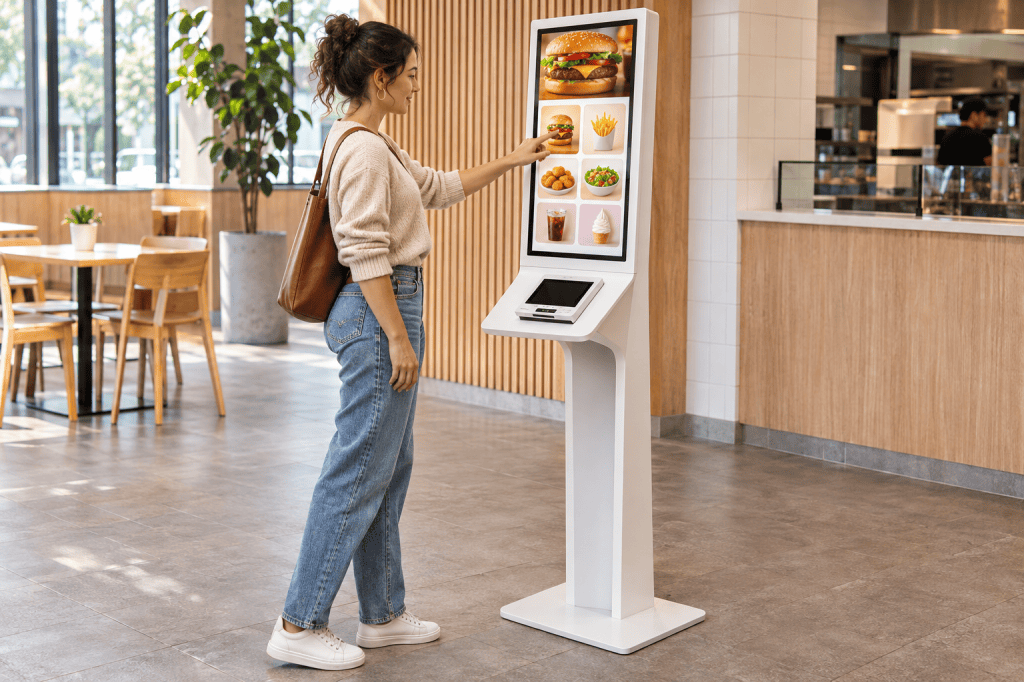
Self-Service Ordering Kiosks
Give guests a place to browse the menu, customize an order, and pay at their own pace. A freestanding kiosk can add another ordering point during busy periods. Ask how it connects to your POS, menu, and kitchen workflow.
POS Accessories & Add-Ons
Build out a payment or POS environment with compatible receipt printers, kitchen display systems, barcode scanners, cash drawers, self-service kiosks, and other accessories. The right combination depends on your existing equipment, software, and workflows.
Expand your setup without buying equipment you do not need. Ask about this solution.
Kitchen Displays and Ticket Printers
Wall-mounted kitchen displays put incoming tickets in view of the line. A kitchen printer can provide paper tickets where the team needs them.

Online & Remote Payments
Accept payments even when customers are not standing at your counter. Options can include virtual terminals for authorized staff to key in transactions, secure payment links, digital invoices, and recurring payment tools. Features and fees vary by provider.
For phone orders, deposits, remote billing, and customer payments online. Ask about this solution.
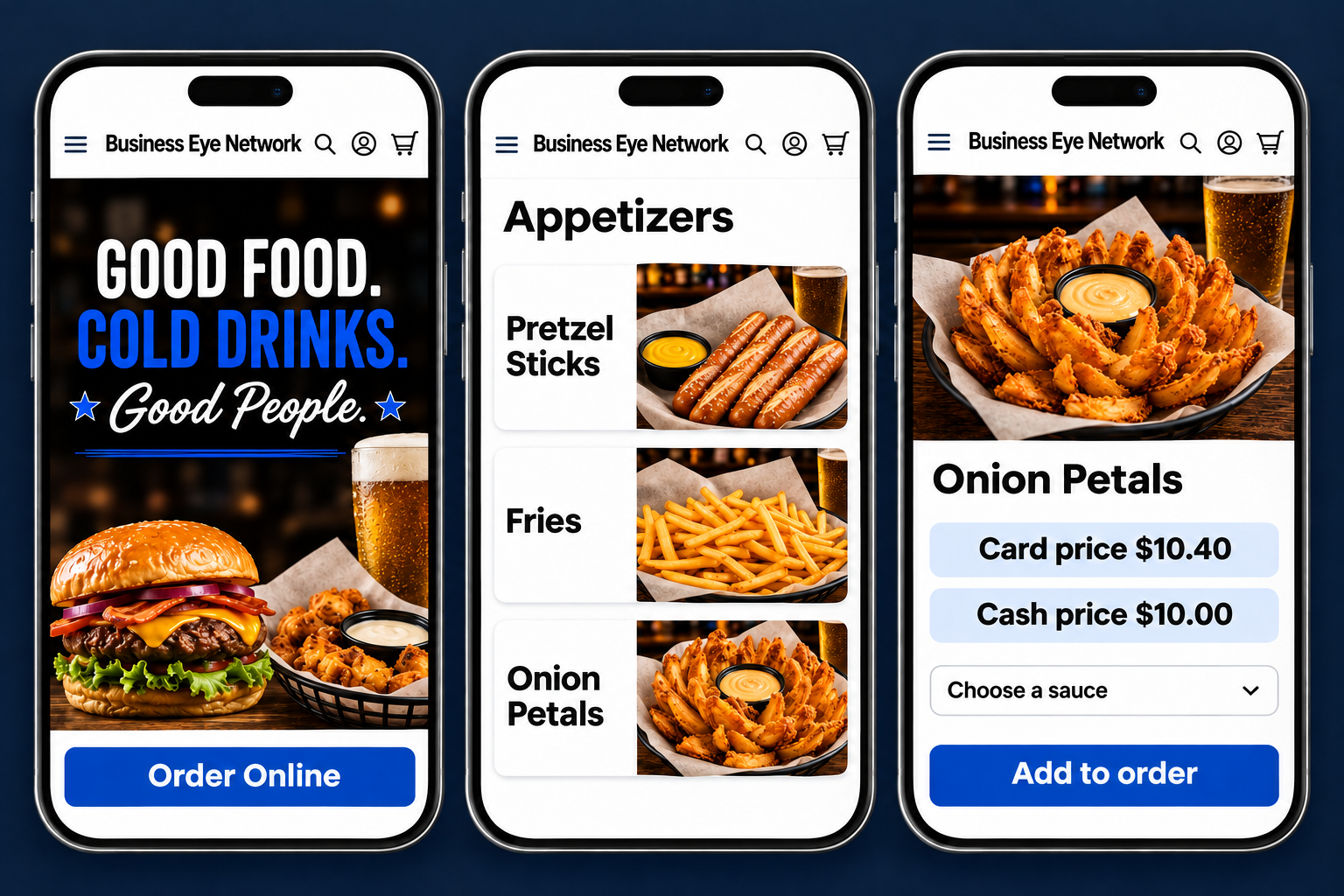
Online Ordering for Restaurants
We build the ordering experience around your restaurant’s menu and how your team handles orders. Customers can browse food photos, choose options like sauces and add-ons, and see the price before adding an item. We help you review how the online menu, POS, and kitchen fit together.
Need a payment or POS setup that fits your industry? We can help match the technology to your actual workflow rather than assuming one system fits every merchant.
Find the Right Fit
Product availability, pricing, and compatibility vary. Tell us about your business and we’ll help you explore appropriate options.

