You know what you’re paying. But do you know whether you’re getting what you pay for? Here’s how to find out.
In our previous article, What Grade Would You Give Your Credit Card Processing Company?, we asked a simple question:
If you had to assign your payment processing provider a letter grade — A, B, C, D, or F — what would it be?
It’s an interesting question. But there’s a problem.
Most business owners probably couldn’t answer it with much confidence.
They might say their processor deserves a B because the rates seem reasonable. Or a C because customer service isn’t great. Or an A because they’ve never had a serious problem.
But those are impressions, not evaluations.
So how do you actually determine whether your processing company deserves an A, B, C, D, or F?
At Business Eye Network, we’ve been developing a structured evaluation methodology through Merchant Doctor. Today, we’re going to walk through the information we believe every merchant should examine before assigning a grade.
And you don’t need to be a payments industry expert to get started.
Step 1: Calculate What You’re Actually Paying
Before evaluating your processor, you need to establish your effective processing rate, sometimes called your effective merchant discount rate.
The calculation is straightforward:
Effective Processing Rate = Total Monthly Processing Costs ÷ Total Monthly Card Processing Volume × 100
Let’s say your business processes $150,000 per month in credit and debit card transactions.
Your total processing costs are $4,200.
Your effective rate is:
$4,200 ÷ $150,000 × 100 = 2.80%
Now you have a starting point.
But here’s where merchants often make a mistake.
They assume that because another business is paying 2.30%, they’re being overcharged.
Not necessarily.
Your actual cost depends on the types of cards you accept, how you accept them, your average transaction size, and other factors.
That’s why the next step is so important.
Step 2: Understand Your Transaction Mix
Before you can determine whether your effective rate is competitive, you need to understand what’s driving it.
Start by asking these questions:
What types of cards do your customers use?
- What percentage of your transactions are debit versus credit?
- How much of your credit card volume comes from consumer cards?
- How much comes from business, corporate, or government purchasing cards?
- What percentage of your volume is Visa, Mastercard, American Express, or Discover?
How are those payments accepted?
- What percentage of transactions are completed in person through tap, chip, or swipe?
- How many are manually entered or accepted over the telephone?
- How much business comes through your website, online ordering, or payment links?
- Do you process recurring payments or store payment credentials?
What does your transaction activity look like?
- How many transactions do you process each month?
- What’s your average transaction amount?
- Do you experience frequent refunds or chargebacks?
Why does this matter?
Consider a neighborhood restaurant where most customers pay in person using consumer debit and credit cards.
Now compare that restaurant with a commercial supplier that accepts corporate purchasing cards, processes large invoices, and receives payments over the telephone.
Both businesses might process $150,000 per month.
But their underlying transaction costs can be significantly different.
A fair processing-cost evaluation compares your rates against what your particular transaction profile should reasonably cost — not against an arbitrary percentage advertised by another provider.
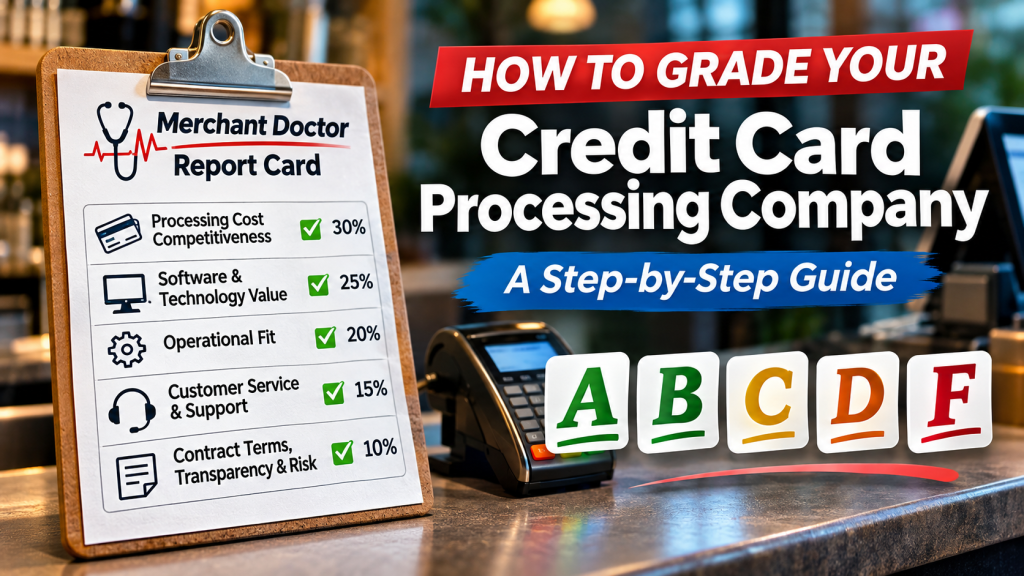
This is the foundation of the processing-cost category, which represents 30% of our proposed Merchant Doctor Report Card.
Step 3: Evaluate Your POS Software and Technology
Next, examine the technology your provider supplies.
Start with the basics.
Does your equipment accept contactless payments, including Apple Pay, Google Pay, and tap-to-pay cards?
Can you accept payments away from a fixed register using wireless or cellular-connected equipment?
Does your system connect in-store transactions with online sales?
If you’re a restaurant, can you accept online orders and integrate with delivery platforms? If so, are those integrations included in your subscription, or are you paying additional monthly fees?
If you’re a retailer, does your online storefront communicate with your in-store inventory?
Then consider your other business systems.
Does your POS integrate with accounting, payroll, employee timecards, gift cards, loyalty programs, sales-tax tools, or marketing applications?
Are those capabilities included, or do they require separate subscriptions?
Finally, consider whether your technology can adapt.
Can your provider deliver software updates as regulations, payment methods, and business requirements change?
Can the system accommodate changes such as cash rounding or compliant cash-discount and dual-pricing configurations where applicable?
Or would you need to replace equipment to gain important new functionality?
A modern POS system should be able to evolve with your business.
For our evaluation, software and technology account for 25% of the overall grade.
Step 4: Determine Whether You’re Paying for Technology You Actually Need
Here’s where things get interesting.
A POS system might offer every feature imaginable and still be the wrong choice for your business.
Let’s say you own a restaurant and pay $750 per month for your POS software.
Your subscription includes advanced inventory management, customer loyalty, marketing tools, scheduling, and sophisticated reporting.
But your employees primarily use the system to enter orders, process payments, and send tickets to the kitchen.
Are you getting good value?
Maybe. But it’s worth investigating.
Now consider a small retailer paying $100 per month for a system that does everything the business needs.
The retailer may have fewer features, but the system could be a substantially better fit.
Ask yourself:
- Which features am I actually using?
- Which features am I paying for but never use?
- Am I paying for multiple applications that perform the same function?
- Are there important capabilities I need but don’t have?
- Could I accomplish the same work with a simpler, less expensive solution?
This is what we call Operational Fit, representing 20% of the overall grade.
The objective isn’t to reward the most sophisticated system.
It’s to reward the system that best matches the merchant’s actual needs.
And remember: An unused feature that’s included at no additional cost isn’t necessarily a problem. Paying unnecessarily for that feature is.
Step 5: Put Your Customer Support to the Test
When your payment system goes down, who do you call?
And what happens after you make that call?
Many providers advertise 24-hour customer support, seven days a week, 365 days a year.
But availability and accountability aren’t necessarily the same thing.
Consider the following questions:
- Can you reach a live support representative at any time?
- Is support available by telephone, email, text, or directly through your POS device?
- Do you have a designated account representative who knows your business?
- Is that person local or otherwise accessible when needed?
- Can someone visit your location to install or replace equipment?
- If your hardware, software, and processing services come from different companies, who coordinates the resolution?
- How quickly are problems actually resolved?
A company might offer excellent telephone support but no local service.
Another might have a dedicated representative who can personally troubleshoot equipment, coordinate repairs, and visit the business when necessary.
Neither model is automatically superior.
But the quality of support should be measured by how effectively problems are resolved, not simply by whether a support telephone number exists.
Customer Service & Support represents 15% of our proposed grading system.
Step 6: Read the Agreements You Signed
This may be the most uncomfortable part of the evaluation.
Find your original merchant processing agreement, equipment agreement, and POS software subscription terms.
Then answer the following questions.
What is your contractual commitment?
Are you month-to-month, or are you committed to 36 or 60 months?
Does your agreement automatically renew?
How much notice must you provide before cancellation?
What happens if you leave?
Is there a flat early termination fee?
Does your agreement contain a liquidated damages provision?
Liquidated damages are amounts or formulas specified in a contract to compensate for certain breaches, including early termination where applicable.
For example, suppose your agreement calculates liquidated damages using $300 in estimated monthly processing profit multiplied by 24 remaining months.
That could produce a contractual charge of $7,200.
Whether such a provision is enforceable depends on the contract and applicable law, but the potential exposure is something a merchant should understand before signing.
Who owns your equipment?
Did you purchase it outright?
Are you renting or leasing it?
Was it provided with the understanding that it must be returned if you cancel?
And even if you own it, can you use it with another processing company?
What happens to your business data?
If you’ve accumulated years of customer records, inventory information, sales history, loyalty balances, and gift-card liabilities, can you retrieve that information?
Can you export it into a usable format?
Will your provider charge you to do so?
Can the information be migrated into another system?
Some data, particularly stored payment credentials, may have technical or security restrictions that make transfers more complicated.
But merchants should understand those limitations before they become a problem.
Contract Terms, Transparency & Risk represent the final 10% of our grading methodology.
Step 7: Put the Results Together
Now that you’ve examined the five categories, it’s time to organize your findings.
Our proposed Merchant Doctor Report Card assigns each category a weighted score.
Category
Weight
Processing Cost Competitiveness
30%
Software & Technology Value
25%
Operational Fit
20%
Customer Service & Support
15%
Contract Terms, Transparency & Risk
10%
Total
100%
Each category will be scored using its own criteria, with the results combined into an overall grade.
The proposed grading scale is:
Grade
Score
Meaning
A
90–100
Excellent
B
80–89
Good
C
70–79
Needs Improvement
D
60–69
Below Standard
F
Below 60
Failing
These are proposed thresholds rather than an established industry grading standard. We’re developing the detailed scoring rules to make the assessment consistent and fair.
One important consideration: Not every question applies to every business.
A restaurant might require delivery integrations and kitchen display systems. A professional services firm might need recurring billing and electronic invoicing instead.
A fair assessment must consider what the business actually needs.
And when information isn’t available, the answer shouldn’t automatically be a failing grade. It should be a reason to investigate further.
Step 8: Gather the Documents That Support Your Grade
If you want to move beyond a preliminary assessment, gather the information needed to verify your answers.
We recommend collecting:
- Three recent monthly processing statements.
- Your current merchant processing agreement.
- POS software invoices and subscription details.
- Equipment purchase, rental, or lease agreements.
- A list of the technology features your business actually uses.
- Any relevant support history, recurring problems, or additional service fees.
With these documents, you can begin separating assumptions from measurable facts.
You may discover that your processing costs are already competitive.
You might find software subscriptions you’re no longer using.
You may uncover contractual restrictions you weren’t aware of.
Or you might realize that your current provider is doing an excellent job.
All of those are valuable findings.
What Happens If Your Processor Gets a C or D?
A lower grade doesn’t automatically mean you should change providers.
Maybe your processing costs are competitive, but your technology needs improvement.
Perhaps your software is excellent, but you’re paying for services you don’t use.
Or maybe your support is lacking, but the problem could be resolved by establishing a better service relationship.
Sometimes the right answer is to renegotiate pricing, eliminate unnecessary subscriptions, update equipment, or improve how the existing system is configured.
Other times, switching providers may be the better option.
The objective is improvement, not replacement for the sake of replacement.
And if your current provider earns an A?
That’s excellent news. Keep doing business with a company that’s earning your trust.
Coming Next: The Merchant Doctor Report Card
At Business Eye Network, we’re turning this evaluation methodology into a practical Merchant Doctor Report Card that business owners can use to assess their payment processing relationships.
The completed resource will provide a structured way to evaluate the five categories, organize the findings, and develop an overall grade.
Until then, you don’t need to wait to begin asking these questions.
Start with your processing statements. Review your software invoices. Look at the equipment you’re using. Think about your support experience. And find out what your agreements actually say.
You may be surprised by what you discover.
Your payment processing company receives compensation from your business every month. Isn’t it reasonable to evaluate whether it’s earning that business?
Merchant Doctor | Business Eye Network
Independent, consulting-led payment processing and POS technology guidance.
BusinessEyeNetwork.com
This article is part of our Merchant Doctor Report Card educational series. The proposed scoring framework is under development and is not an industry-standard certification or a substitute for reviewing actual processing agreements and financial records.


Leave a Reply